


WidgetClub:Widget, Theme, Icon
4.6229.00 Reviews
App Specs
- Version
- 3.14.27
- Updated On
- License
- Free
- Downloads
- 1,000,000+
- Developer
- Liume Inc.
- Categories
- Personalization
- Platform
- Android, iOS
Screenshots
 Analysis by AppCompare
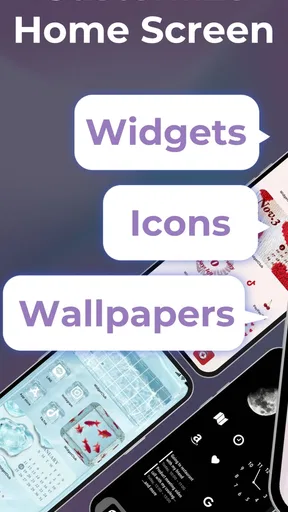
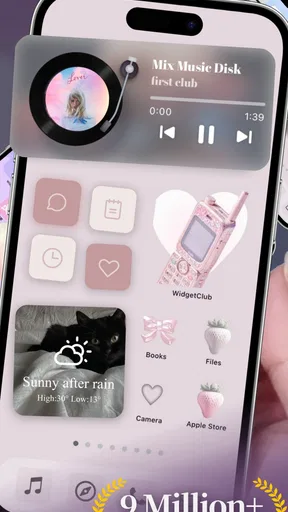
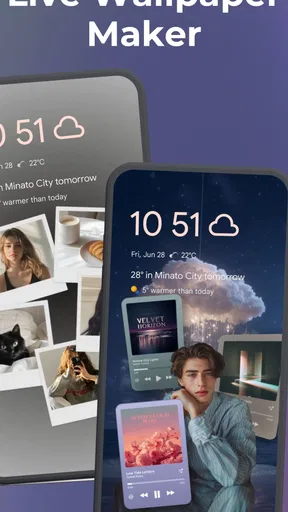
WidgetClub is at its best when you want your phone to feel more like your own, not when you want to redesign every part of it in one sitting. I see it as a handy customization app for people who enjoy changing the look of their home screen but would rather browse ready-made ideas than build everything from scratch. The mix of widgets, themes, and icons gives you room to experiment, though the most satisfying results come from choosing a clear style and making small, deliberate changes.
That balance matters because personalization apps can turn into a collection of attractive pieces that do not quite work together. With WidgetClub: Widget, Theme, Icon, I would start with a theme or color direction, then choose widgets and icons that support it. That simple order makes the process feel less like rummaging through options and more like putting together a home screen you will enjoy using every day.
A practical way to build a coordinated home screen
I would treat the app as a design workspace rather than a one-tap makeover. Begin by deciding what you want the screen to feel like: calm and uncluttered, bright and playful, or centered on a favorite image. Then try a widget and a matching icon style before changing everything else. This makes it easier to see whether a design is comfortable to live with, not just attractive in a preview.
There is a useful trade-off here: a highly coordinated screen can look polished, but it may take more time to select and arrange its parts. If you mainly want a quick visual refresh, choose one noticeable change—such as a widget or theme—and stop there. If you enjoy fine-tuning details, you can keep adjusting colors and styles until the different elements feel consistent.
Where customization helps in everyday use
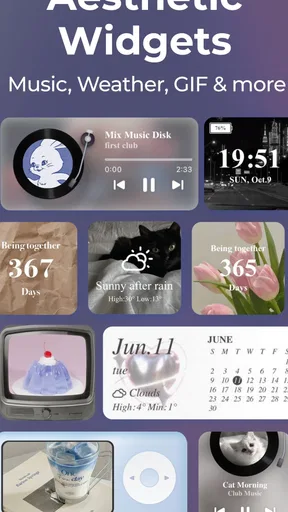
A realistic use case is changing your screen to suit a new routine. For example, if you are trying to keep appointments and daily plans in view, you could explore a calendar-style widget and arrange it alongside the apps you use most. The benefit is not only appearance: a screen that gives priority to the information you check often can make your phone feel more personal and easier to scan.
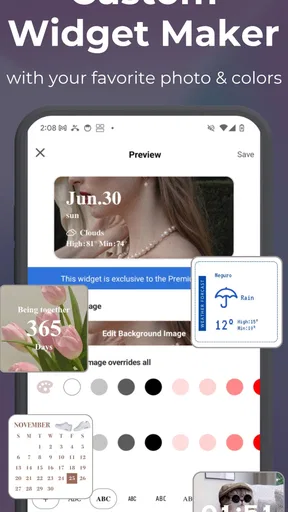
I would also use the image option with a little restraint. A photo can make a widget feel distinctly yours, but a busy image may compete with text or icons around it. A simple crop or a quieter picture is often a better choice when you want the home screen to stay readable. This is one of those small design decisions that matters more after the novelty wears off.
How it differs from simpler alternatives
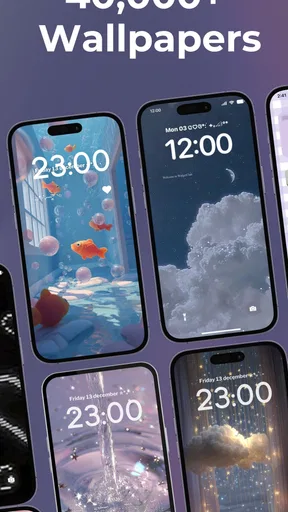
The usual alternative is to stick with the phone’s built-in appearance controls or change only the wallpaper. That approach is quicker and better if you want a subtle refresh with almost no setup. WidgetClub is more appealing when you want several visual elements to work together, especially if you like trying different widget styles and icon packs rather than settling for the defaults.
Worth Reading Before You Choose

EA SPORTS FC Mobile 26 Is a Bigger Football Game, but It Takes Time

Flipboard Shows What News Apps Must Do Beyond the Feed

Switching to Android Auto Means Rethinking Your Driving Routine

Google Calendar Makes a Crowded Week Easier to Manage

Ludo King Makes the Most of the Minutes Between Plans

Baby Panda World Brings Quick Play to Modern Phones, but Its Game Library Feels Busy
It is not automatically the better choice for everyone. If you care most about a clean, familiar interface and do not enjoy arranging screens, a wallpaper change may be enough. A dedicated launcher may also suit someone who wants deeper control over how the home screen behaves. I would choose WidgetClub for visual experimentation, not as a substitute for every kind of phone customization.
Who is likely to enjoy it—and who may not
I can see it working especially well for people who enjoy seasonal refreshes, matching their phone to a favorite color, or making a device feel less generic without learning a complicated design tool. It is also a good fit for someone who likes to test a look, live with it for a while, and then change it again. The app is free to start, while optional in-app purchases range from $3.49 to $64.99 per item, so I would explore the available choices before deciding whether a paid option is worthwhile.
On the other hand, it may frustrate anyone who expects every element to change automatically or wants an entirely hands-off setup. Personalization takes judgment: a theme can look cohesive, but you still need to decide which widgets belong on your screen and whether the result is practical. If you rarely notice your wallpaper or icons, you may not get enough value from spending time on those details.
Small decisions that make the result better
One tip I find useful is to judge a layout by what remains easy to reach, not just by how it looks in a screenshot. Keep your most-used apps in familiar places and avoid filling every open space with a decorative element. A home screen is something you navigate repeatedly; preserving a clear path to everyday apps is more important than making every corner match.
It also helps to change one layer at a time. Try a theme first, then decide whether the icons actually need to change, and add a widget only if it has a job on the screen. This makes it easier to identify what improved the look and what added clutter. It also gives you a simple way to undo a choice without having to rethink the whole setup.
If you are wondering whether this is only for experienced customizers, I do not think it has to be. The interface is approachable, and browsing styles is a low-pressure way to discover what you like. Still, a little patience helps: the first appealing option is not always the one that looks best beside your wallpaper or works with the apps you use most.
What to know before you settle on a design
WidgetClub is a free personalization app from Liume Inc., and it has a 4.5 average from around 13,000 ratings, with over 1 million installs. It is rated Teen, so it is intended for that age group and older. The app first appeared on August 10, 2022, and version 3.14.19 is the current version; it requires Android 11 or later. Those details make it worth checking your device before you install, particularly if you use an older Android phone.
There is no single “right” setup to keep. I would save a look you like by noting which choices make it work—its main color, widget style, and icon feel—so you can recreate the balance later without starting from random browsing. If you change your wallpaper often, treat the widget and icon choices as a flexible base instead of expecting every combination to suit every background.
So, I recently got my hands on this nifty little app called WidgetClub: Widget, Theme, Icon, and let me tell you, it's like a playground for anyone who loves to customize their smartphone. If you're one of those people who can't stand the default look of your phone's interface, you're going to want to read on.
Unleashing Creativity with Widgets
First off, let's dive into the widgets. I was honestly impressed by the sheer variety available. From weather updates to calendar reminders, the options seem endless. The app makes it super easy to install and customize these widgets, which is a big plus for anyone who isn't tech-savvy. And the best part? You can mix and match to your heart's content, creating a truly personalized home screen.
The interface for creating and editing widgets is intuitive. I found myself experimenting with different styles, colors, and sizes, and the process was smooth as butter. If you want something truly unique, you can even upload your own images to create a widget that’s one of a kind. It's like having your personal design studio right in your pocket.
Themes Galore
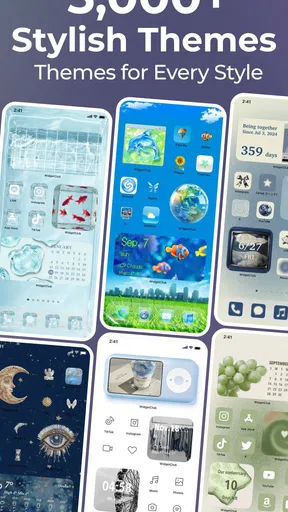
Moving on to themes, WidgetClub doesn't disappoint. Whether you're into minimalistic designs or something more vibrant, there's a theme here for everyone. I switched through several themes during my review, and each time it felt like I had a brand-new phone. It's amazing how a simple theme change can refresh your entire user experience.
One thing I really appreciated was how easy it was to switch between themes. There's no need to restart your device or jump through hoops. Just tap, and voila, your phone has a makeover. Plus, the themes are really well-designed, ensuring that every icon and widget is perfectly aligned.
Icon Pack Extravaganza
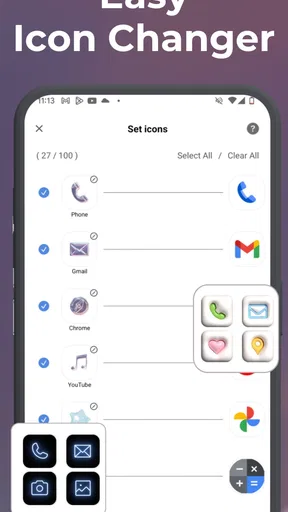
Now, let's talk icons. If you're anything like me, the default app icons can get a bit boring. That’s where WidgetClub shines. The app offers a plethora of icon packs that suit every taste. I had a blast exploring different styles, from sleek and modern to cute and quirky.
Changing icons is straightforward, and the app guides you through the process seamlessly. I was surprised by how much a simple icon change could add personality to my phone. It's like dressing your phone up for different occasions!
Final Thoughts
All in all, WidgetClub: Widget, Theme, Icon is a must-have for anyone looking to inject some personality into their smartphone. It's user-friendly, offers a ton of customization options, and keeps things fresh and exciting. Whether you're a customization newbie or a seasoned pro, there's something here to tickle your creative fancy.
So if you're ready to shake things up and make your phone truly yours, give this app a whirl. You might just find yourself spending hours tweaking and perfecting your home screen setup. Happy customizing!
Pros
- Customizable widgets enhance personalization.
- User-friendly interface for easy navigation.
- Wide variety of themes to choose from.
- Regular updates with new features.
- Lightweight app
- doesn't use much storage.
Cons
- Some themes require in-app purchases.
- Limited free icon options available.
- Occasional ads can disrupt experience.
- Requires internet for some features.
- Initial setup can be time-consuming.
FAQs for WidgetClub:Widget, Theme, Icon
What features does WidgetClub: Widget, Theme, Icon offer?
WidgetClub provides a comprehensive suite of customization options for your device. You can personalize widgets, themes, and icons to match your style. The app offers a wide variety of pre-designed templates and allows for extensive customization, ensuring that your device looks unique and reflects your personal taste.
Is WidgetClub compatible with both Android and iOS devices?
Yes, WidgetClub is designed to be compatible with both Android and iOS platforms. This ensures that users across different devices can enjoy the same level of customization and personalization, making it a versatile choice for anyone looking to refresh their device's interface.
Does WidgetClub require any in-app purchases to access all features?
While WidgetClub offers many free features, some advanced customization options and premium templates may require in-app purchases. These purchases unlock additional content and enhance the user experience, providing more flexibility in designing your device's look and feel.
How user-friendly is WidgetClub for beginners?
WidgetClub is designed with user-friendliness in mind, featuring an intuitive interface that is easy to navigate. Beginners will find it simple to use, with guided steps and tutorials available to help them make the most of the app’s features without any technical expertise.
Can WidgetClub affect my device’s performance?
WidgetClub is optimized to run smoothly without significantly impacting your device’s performance. However, using a large number of widgets and themes simultaneously may slightly affect battery life and speed. It’s recommended to monitor your usage and adjust settings accordingly for optimal performance.


